
Why That Coupon Didn't Work - and What Usually Goes Wrong at Checkout

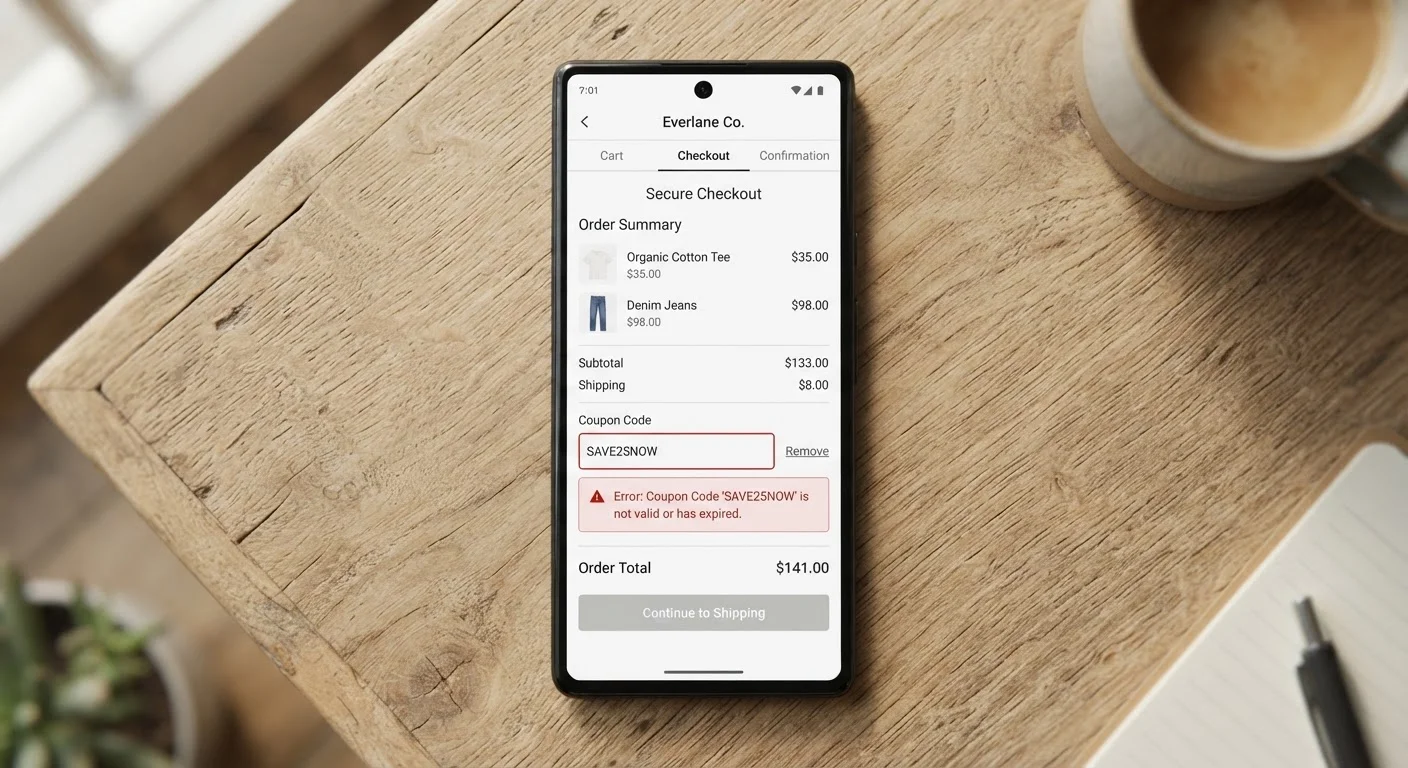
Photo: InsightsVault.com | Interesting Daily Reads editorial
Key Takeaways
- Most coupon failures trace back to a handful of preventable mistakes, not retailer glitches.
- Expiration dates, minimum purchase thresholds, and account-specific restrictions are the top culprits.
- Verifying coupon terms before checkout eliminates the majority of declined-code situations.
- Stacking rules vary by retailer - assuming codes combine is a common and costly error.
- Browser autofill and copy-paste errors silently corrupt promo codes more often than shoppers realize.
Why Coupon Failures Are More Common Than They Should Be
Few checkout frustrations rival the moment a promo code turns red. You've done the work - found the code, built your cart, reached the finish line - and then nothing. Understanding why coupons fail isn't just satisfying; it directly saves you money by helping you catch problems before they happen.
The causes almost always fall into predictable categories. Retailers structure discounts with specific conditions, and when any one condition isn't met, the code won't apply. The good news: once you know what to check, most failures become avoidable. For a deeper look at why retailers issue coupons the way they do, see how retailers decide what to offer.
Using an expired coupon without checking the end date.
Not meeting the minimum purchase requirement.
Applying a code to non-qualifying items.
Entering a code with typos, extra spaces, or wrong capitalization.
Attempting to stack codes on a retailer that prohibits it.
Using an account-specific code on the wrong account or as a guest.
How to Troubleshoot a Declined Code in Real Time
When a code fails at checkout, work through a short mental checklist before abandoning the discount entirely. First, re-read the original coupon terms - not the headline, but the fine print. Check the expiration date, the qualifying product list, and any minimum order requirement. Second, inspect what you typed or pasted. Even a single extra space or a lowercase letter where uppercase is expected can break a code.
Guest Checkout Can Silently Void Account Codes
Third, confirm you're logged into the correct account. Many retailer codes are issued to a specific email address and won't apply if you're browsing as a guest or under a different login. Finally, check whether you already hold another discount in your cart - some systems reject a second code the moment one is already active.
If none of these steps resolve it, a pre-checkout verification checklist can help you build this habit systematically so you catch issues before they surface at payment.
Stacking, Extensions, and Other Advanced Pitfalls
Shoppers who actively pursue discounts run into a second tier of problems beyond basic code errors. Coupon stacking - applying multiple codes or combining a promo code with a sale price - is governed by retailer-specific rules that aren't always disclosed upfront. Many retailers prohibit stacking entirely; others allow one code plus a loyalty reward but not two promo codes simultaneously.
Browser extensions that auto-apply coupons add another layer of complexity. These tools sometimes insert expired or invalid codes that override a valid one you entered manually, leaving you with no discount at all. They can also trigger cart modifications that void an existing promo. For a grounded look at how these tools actually behave, a practical comparison of browser extensions is worth reviewing before you rely on automation.
Auto-Apply Extensions Can Override Your Valid Code
Shopping category also matters. Coupon mechanics for groceries differ substantially from those for travel bookings or services. A tactic that works reliably at a grocery store - presenting a paper coupon at the register - may be irrelevant or unsupported in a service context. Adapting your approach by category prevents wasted effort and misplaced expectations.
The content provided on our blog site traverses numerous categories, offering readers valuable and practical information. Readers can use the editorial team’s research and data to gain more insights into their topics of interest. However, they are requested not to treat the articles as conclusive. The website team cannot be held responsible for differences in data or inaccuracies found across other platforms. Please also note that the site might also miss out on various schemes and offers available that the readers may find more beneficial than the ones we cover.