
Cashback Apps and Coupons: Using Both Without Doubling Your Effort

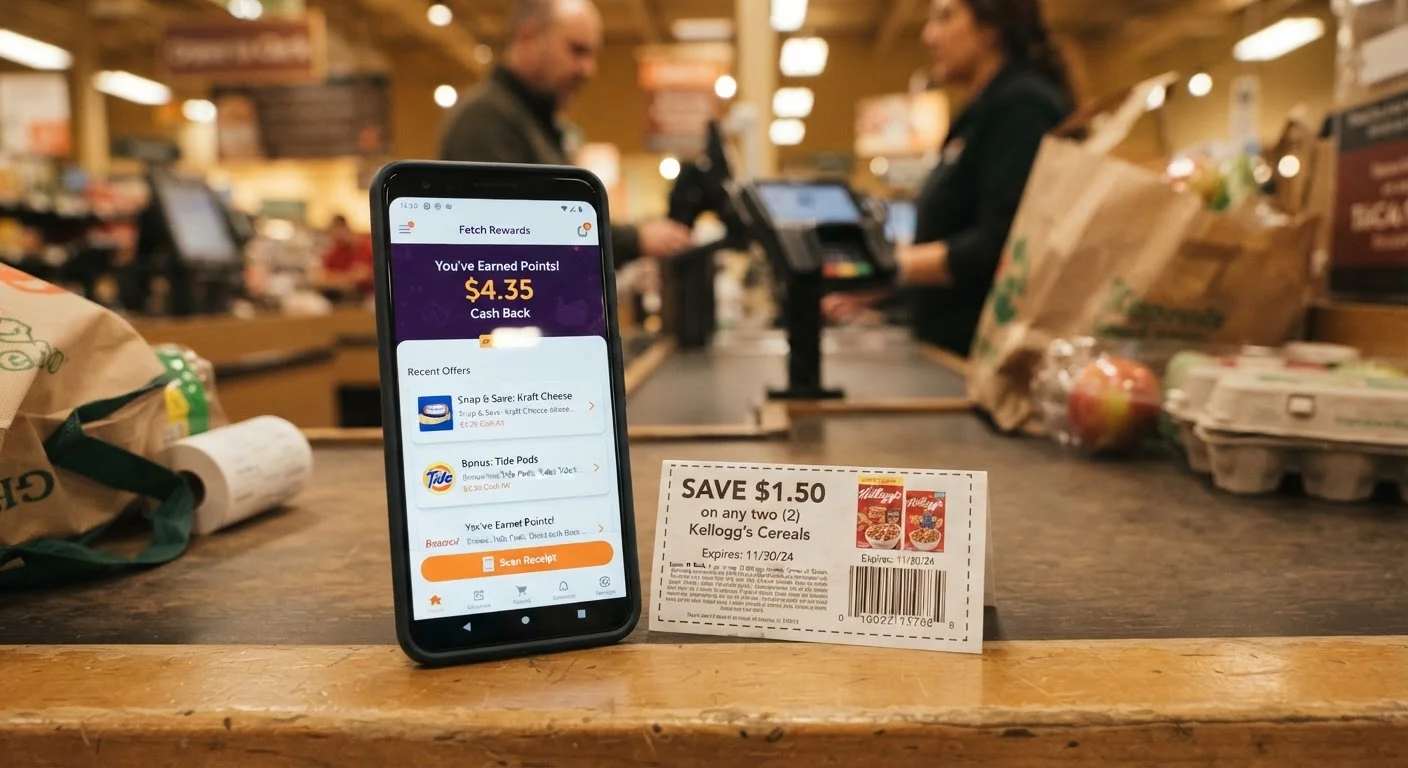
Photo: InsightsVault.com | Interesting Daily Reads editorial
Key Takeaways
- Cashback apps and coupons are not mutually exclusive - many purchases can qualify for both simultaneously.
- The key is sequencing: apply the coupon at the register first, then submit your receipt to the cashback app.
- Most cashback apps reimburse based on what you actually paid, so using a coupon does not reduce app eligibility in most cases.
- Organizing offers by item before shopping eliminates duplicate effort and missed submissions.
- Pharmacy and grocery categories offer the most consistent overlap opportunities between coupons and cashback apps.
Why These Two Discount Types Work Well Together
Coupons reduce the price you pay at the point of sale. Cashback apps issue a rebate after the fact, based on what the receipt shows you purchased. Because they operate at different stages of the transaction, they rarely conflict - and in most cases, both can apply to the same item on the same trip.
The common concern is that a cashback app will calculate your rebate on the post-coupon price, effectively reducing the rebate amount. In practice, most rebate-style grocery apps calculate based on purchase of the qualifying item, not the price paid. That said, individual offer terms vary, which is why checking the fine print on each offer (Step 1) matters.
The real inefficiency most shoppers face is not that the two systems conflict - it is that they manage them separately. Checking the cashback app in one session, clipping coupons in another, and then trying to reconcile both at the store creates exactly the kind of duplicated effort this guide eliminates.
Use a Single Running Shopping List
If you are also evaluating whether loyalty program discounts fit into this workflow, our article on loyalty discounts vs. one-time coupons covers the practical trade-offs.
Getting Set Up: Tools and What You Need
Before running through the steps, make sure you have the right inputs in place.
What you will need
You do not need a large stack of paper coupons or multiple cashback apps to make this work. One reliable cashback app and your store's digital coupon portal is sufficient for most shoppers. Adding complexity - three apps, multiple coupon sources - tends to increase effort without proportionally increasing savings.
Cashback rebate app
Scans or photographs your receipt after purchase to issue a cash rebate on qualifying items.
Store loyalty app or digital coupon portal
Clips manufacturer or store coupons directly to your loyalty account, applied automatically at checkout.
Paper manufacturer coupons
Physical coupons from Sunday inserts or direct-mail promotions that reduce item price at the register.
Dedicated shopping list app or notes app
Tracks which items have matched coupons and cashback offers so nothing is missed at the store.
For shoppers who primarily buy online, browser extensions that auto-apply coupon codes at checkout are a separate but complementary tool. Our overview of browser extensions for automatic coupons explains how those differ from in-store rebate apps.
Step-by-Step: Coordinating Both Without Extra Work
The sequence below consolidates coupon matching and cashback app management into a single pre-shop workflow, so you handle both systems at the same time rather than treating them as separate tasks.
Browse cashback app offers before building your list
Open your cashback app at the start of the week - before finalizing what you plan to buy. Filter by category (grocery, pharmacy, household) and note any offers that align with items you already need. This prevents the common mistake of reverse-engineering your grocery list around deals you may not actually use.
Match coupons to the same items
Cross-reference your cashback app list against available coupons - check your store's digital coupon portal, manufacturer websites, and any paper inserts you have on hand. Look for items that appear on both. This overlap is your stacking opportunity. For a deeper look at how coupon layering works across retail categories, see our guide to coupon stacking.
Clip or load digital coupons before you shop
Digital coupons clipped to a loyalty account deduct automatically at checkout, so they must be loaded before you start scanning items. Confirm each coupon is marked as clipped - most apps show a checkmark or color change. Paper coupons should be sorted and placed at the front of your wallet or a small envelope to avoid fumbling at the register.
Shop and pay as normal
At checkout, let the loyalty card and clipped digital coupons apply first. Hand over any paper manufacturer coupons to the cashier before the transaction closes. You do not need to interact with the cashback app at the register - that step comes after. Request a printed receipt even if you are paying digitally, as many cashback apps still require a physical or clearly photographed receipt.
Submit your receipt to the cashback app immediately
Open the cashback app while still in the parking lot or immediately after returning home. Navigate to the receipt submission section, photograph the receipt clearly (flat surface, good lighting, full receipt visible), and submit. The app will identify qualifying items. If an offer you expected does not match, check whether the specific size, variety, or UPC on your receipt matches the offer's fine print exactly.
Track earnings and reinvest the habit
After a few shopping trips, review which item categories consistently offer both coupon and cashback overlap. Pharmacy-brand health products, shelf-stable pantry staples, and household cleaning supplies tend to be reliably covered in both channels. Adjust your weekly routine to prioritize these categories. For strategies that extend beyond grocery into other verticals, see our article on couponing across categories.
Check App Terms Before Assuming Stackability
Where This Strategy Works Best
Grocery and pharmacy are the most productive categories for coupon-plus-cashback stacking. Both have robust manufacturer coupon ecosystems and are consistently featured in cashback app offer rotations. General merchandise retail varies - some categories have strong cashback app coverage, but manufacturer coupons are less common outside of consumable goods.
Online retail introduces a different workflow: digital promo codes replace coupons, and some cashback portals (browser-based rather than receipt-based) can apply at checkout rather than after. That channel is worth exploring separately. Our guide on blending online and in-store shopping covers how to allocate your shopping across both channels strategically.
The core principle is consistent regardless of category: identify the overlap before you shop, not after. Retroactively searching for a cashback offer on something you already bought - without having clipped a coupon - is where effort multiplies without payoff.
The content provided on our blog site traverses numerous categories, offering readers valuable and practical information. Readers can use the editorial team’s research and data to gain more insights into their topics of interest. However, they are requested not to treat the articles as conclusive. The website team cannot be held responsible for differences in data or inaccuracies found across other platforms. Please also note that the site might also miss out on various schemes and offers available that the readers may find more beneficial than the ones we cover.